Designers use dark typography trends with shadow effects to create depth and high contrast in dark mode interfaces without straining the eyes. This technique makes text lift off the screen while maintaining a sleek, moody aesthetic.
What makes layered shadow text work?
The core concept involves placing text over dark backgrounds using carefully calibrated drop shadows, outer glows, or neon highlights. It works best for hero sections, gaming interfaces, or editorial layouts where you need to establish a strong visual hierarchy. When applied correctly, deep contrast typography guides the viewer exactly where you want them to look.
How do you adapt this style to your project?
You must adjust the shadow parameters based on where the design will live. For small mobile screens, keep the shadow tight and subtle so it does not blur the letterforms. On large desktop monitors, you have more room to experiment with wider, atmospheric blurs.
Match the shadow style to your brand identity. A software company might use crisp, directional shadows for a precise look, while a music festival poster can utilize softer, diffused colored glows. If you want to explore specific typefaces that handle deep shading well, you might look into heavy display typefaces built for moody branding. These fonts provide the necessary weight to support complex shadow layers without losing their shape.
Readability acts as your maintenance level. Highly stylized text requires more user effort to read, so reserve heavy shadow effects for large headlines rather than body copy. Test your color combinations on both OLED and standard LCD screens, as pure blacks render differently across hardware.
What are the most common design mistakes?
The biggest error is pairing pure black backgrounds with pure white text and harsh black shadows. This combination causes severe eye strain and creates muddy, undefined edges around the letters. Instead, use dark gray or deep navy backgrounds, such as hex code #121212.
Another frequent issue is relying on a single, heavy blur setting. Designers often crank the blur radius up to 50px, which washes out the text entirely. Applying these subtle layers helps you achieve striking visual depth without sacrificing the sharpness of the font.
How can you fix muddy text in design software?
To clean up blurred edges in tools like Figma or Illustrator, add a tight, dark shadow directly behind the text for base depth. Set the blur to 2px and the opacity around 30%. Then, add a second, wider shadow using a complementary color at 5% opacity to create an ambient glow.
This two-step approach mimics real-world lighting. It prevents the text from looking like it is simply smudged into the background.
Checklist for implementing shadow typography
Before publishing your layout, run through this quick setup guide for layered text styles to ensure your design remains functional and sharp.
- Set the background to an off-black shade like #1A1A1A or #0D0D0D.
- Choose a bold font weight that can withstand heavy layering.
- Apply a crisp, low-opacity drop shadow to anchor the text.
- Add a wide, low-opacity colored outer glow to establish the mood.
- Verify your contrast ratios with a WCAG checker to guarantee accessibility.
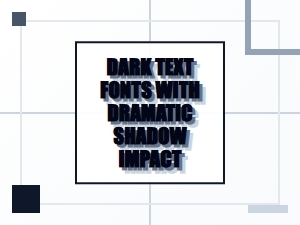 Dramatic Dark Text with Shadow Impact
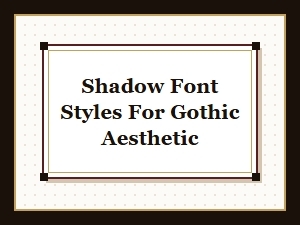 Gothic Shadow Font Styles Trend
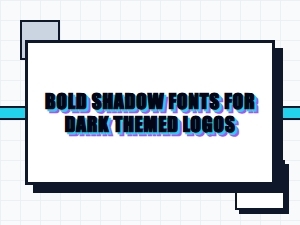 Bold Shadow Fonts for Dark Themed Logos
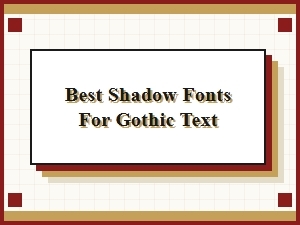 Best Shadow Fonts for Gothic Text
 Dark Atmosphere Fonts for Mysterious Projects
 Gothic Shadow Typography for Enigmatic Visuals